
Lenovo Ideapad Slim 3 Review: Best Laptop for Productive Users
A practical budget laptop for students and professionals, the Lenovo IdeaPad Slim 3 delivers reliable everyday performance, useful ports, and solid battery life.
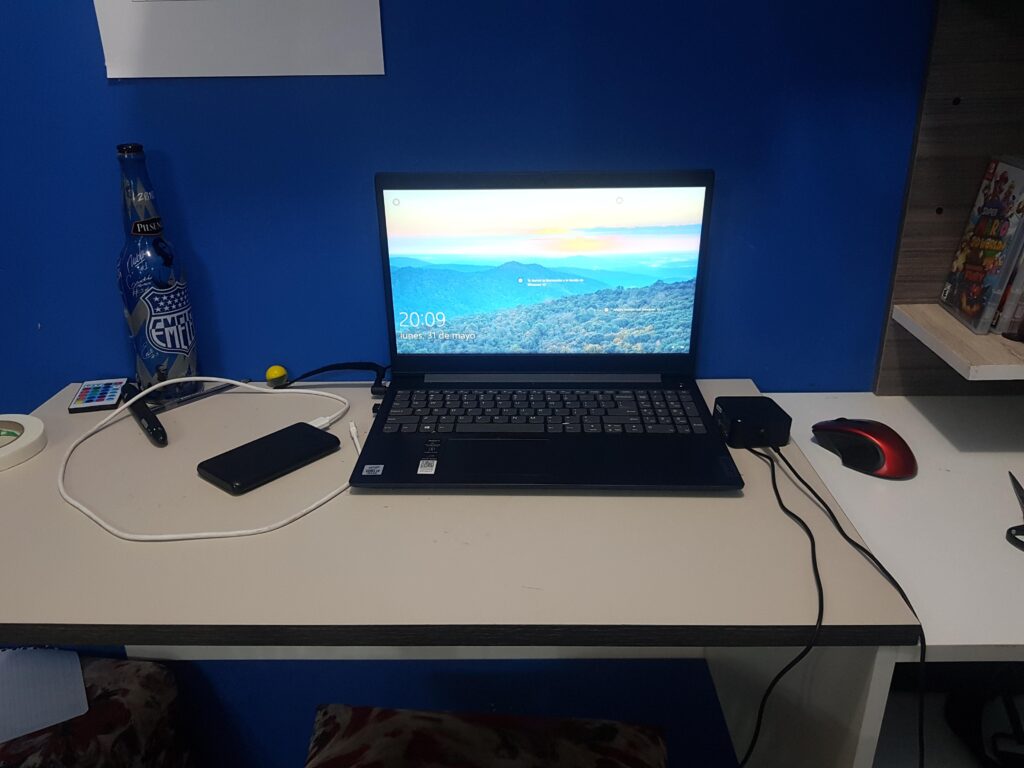
Lenovo IdeaPad Slim 3 Review: A Budget Laptop Built for Productivity
Lenovo’s IdeaPad Slim 3 has earned a strong reputation among buyers who want dependable everyday performance without paying premium prices. It targets students, office workers, and home users who need a lightweight machine for browsing, documents, video calls, and light multitasking. Rather than chasing flashy design trends, the Slim 3 focuses on practical value: a comfortable keyboard, useful ports, and reliable battery life in a chassis that is easy to carry.
Because Lenovo sells several configurations, choosing the right model matters. Processor options range from entry-level chips to more capable Core i5 and Core i7 variants, paired with different memory and storage combinations. For most productive users, a mid-range configuration offers the best balance of speed and price, while heavier multitaskers should prioritize more RAM and SSD capacity. This review looks at the overall experience so you can decide whether the IdeaPad Slim 3 fits your daily workflow.
Design and Build Quality
The IdeaPad Slim 3 keeps things simple. Its minimalist exterior looks clean and professional, making it suitable for classrooms, offices, and coffee shops. The chassis is primarily plastic, which keeps the weight and cost down. While it does not feel as premium as aluminum laptops, it is sturdy enough for daily use when handled with reasonable care.
Portability is one of its strengths. The laptop is light enough to slip into a backpack without adding much bulk, and the slim profile makes it easy to use in tight spaces such as airplane trays or small desks. The hinge feels stable, and the lid opens smoothly. Overall, the design is not exciting, but it is practical and unobtrusive, which is exactly what many budget buyers want.
Display Options
Display choices depend on the configuration and region. Buyers can typically choose between 14-inch and 15.6-inch panels, both usually offering Full HD resolution. The IPS panel provides decent viewing angles, while the anti-glare coating helps reduce reflections in bright rooms. Color coverage is modest, so this is not a machine for color-critical photo or video editing, but it is perfectly adequate for documents, web pages, and streaming.
A larger 15.6-inch screen is more comfortable for spreadsheets and split-screen multitasking, while the 14-inch model is easier to carry and slightly lighter. Brightness is sufficient for indoor use, though direct sunlight can wash out the image. For students and office users, the display delivers a comfortable everyday viewing experience.
Performance and Everyday Use
Performance is where configuration choice becomes important. Entry-level processors handle basic tasks well, but users who juggle many browser tabs, office apps, and communication tools will appreciate a Core i5 or Core i7 variant. These chips provide smoother multitasking and faster response times, especially when paired with 8GB or 16GB of RAM.
For typical productivity work—writing, spreadsheets, email, research, and video calls—the Slim 3 feels responsive. Boot times and app launches are quick thanks to SSD storage. Heavy workloads such as large video edits, 3D rendering, or advanced data analysis are beyond its intended scope, but that is expected at this price point. The laptop is designed for reliable daily computing rather than workstation-level power.
Gaming and Graphics
The IdeaPad Slim 3 is not a gaming laptop. Integrated graphics can handle casual titles, older games, and light indie experiences at modest settings, but modern AAA games will struggle. If gaming is a priority, a dedicated gaming laptop is a better investment. For everyone else, the graphics performance is more than enough for video playback, presentations, and basic creative tasks.
Keyboard, Ports, and Connectivity
Lenovo’s keyboards are usually comfortable, and the Slim 3 continues that tradition. Key travel is decent, the layout is familiar, and typing for long sessions is not tiring. The touchpad is responsive and supports multi-finger gestures, though an external mouse may still be preferable for extended work.
Connectivity is a highlight. The laptop includes multiple USB ports, HDMI, and a headphone jack, reducing the need for adapters. This makes it easy to connect external displays, storage drives, and peripherals. Wireless connectivity supports modern Wi-Fi and Bluetooth standards, ensuring stable internet and accessory pairing.
Battery Life
Battery life is solid for a budget laptop. With moderate productivity use—web browsing, document editing, and streaming—you can expect a full workday or close to it on a single charge. Heavy multitasking or high brightness will reduce runtime, but the included charger tops up the battery quickly. For students moving between classes or professionals working on the go, the Slim 3 offers dependable endurance.
Who Should Buy the IdeaPad Slim 3?
The IdeaPad Slim 3 is ideal for buyers who prioritize value, portability, and everyday reliability. Students, freelancers, and office workers who mainly use web apps, office suites, and communication tools will find it a sensible choice. If you need premium materials, high-end graphics, or color-accurate displays, you should look higher in Lenovo’s lineup. But for budget-conscious users who want a capable, no-nonsense laptop, the Slim 3 remains a strong contender.
Frequently Asked Questions
Is the Lenovo IdeaPad Slim 3 good for students?
Yes. Its lightweight design, comfortable keyboard, useful ports, and affordable price make it a practical choice for students who need a reliable machine for notes, research, and online classes.
Can the IdeaPad Slim 3 handle video editing?
Light video editing is possible, but complex projects with 4K footage or heavy effects will be slow. For serious editing, choose a laptop with a more powerful processor and dedicated graphics.
How long does the battery last?
Under typical productivity use, you can expect roughly a full workday. Battery life varies with brightness, workload, and configuration.
Does it have enough ports for accessories?
Yes. Most configurations include multiple USB ports, HDMI, and a headphone jack, making it easy to connect peripherals without dongles.
Which configuration should I buy?
For most users, a Core i5 model with at least 8GB of RAM and SSD storage offers the best balance of performance and price. Choose a Core i7 and 16GB RAM if you multitask heavily.

Jabir Al Shaker
Founder and editor of StartsNest. Technology writer and digital marketing specialist with expertise in mobile technology, consumer electronics, and online business strategies.
View all articles by Jabir Al Shaker →More to read
Xiaomi 13 Lite Review: Exceptional Design Meets Unbeatable Camera
The Xiaomi 13 Lite combines a slim 171g design, a 120Hz AMOLED display, a flagship-grade 50MP camera, dual selfie cameras, and 67W fast charging into an appealing mid-range package.
Xiaomi 13 Ultra Review: What is so Ultra?
The Xiaomi 13 Ultra packs a 50MP 1-inch Leica camera, Snapdragon 8 Gen 2, a 6.73-inch LTPO OLED display, and a 5000mAh battery with 90W charging into a premium IP68 body. Here is whether it lives up to the hype.
Xiaomi 13T Review: New MidRange King?
The Xiaomi 13T brings a vegan leather design, 144Hz display, Dimensity 8200-Ultra performance, and Leica-tuned cameras to the mid-range. Here is whether it earns the mid-range crown.
Comments (0)
No comments yet. Be the first to share your thoughts!