
Best Laptop Price Under 90000 in Bangladesh
Discover the best laptops under 90000 taka in Bangladesh, from the MacBook Air M1 to gaming-ready Acer Nitro 5, with specs, pros, cons and buying advice.
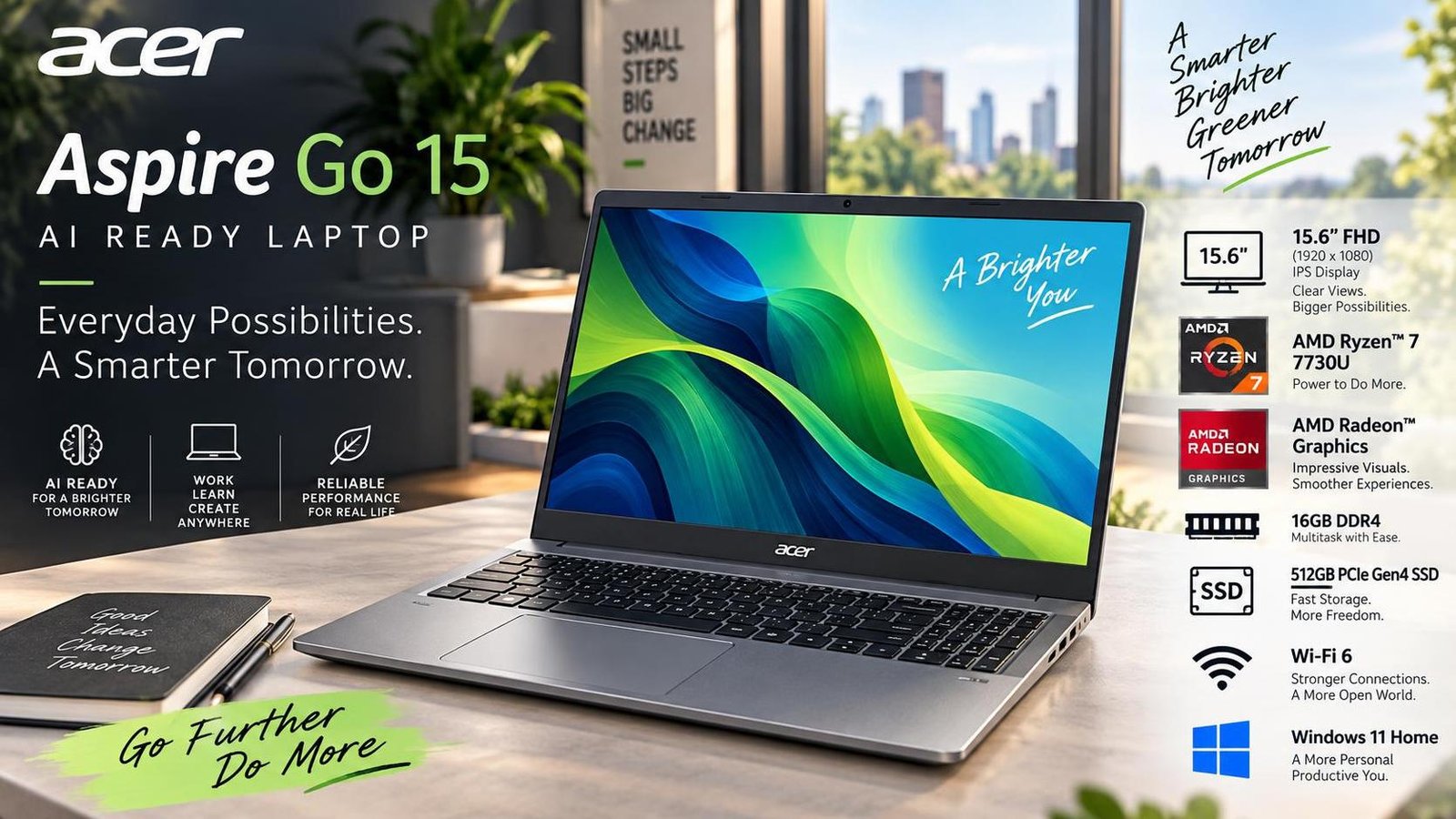
Best Laptop Price Under 90000 in Bangladesh: Top Picks for Work, Study and Play
Finding a capable laptop in Bangladesh without crossing the ninety-thousand taka mark is easier today than it has ever been. The segment that once forced buyers to compromise on either performance or build quality now offers machines with modern processors, fast SSD storage, IPS displays and, in some cases, dedicated graphics. Whether you are a student attending online classes, a professional juggling spreadsheets and video calls, or a gamer chasing smooth frame rates, there is a laptop under 90000 taka that fits your needs.
This guide collects seven standout options available in the Bangladeshi market, ranging from Apple's efficient MacBook Air to gaming-focused machines from Acer and MSI. Each entry lists the key specifications along with honest pros and cons so you can compare them side by side. A short buying checklist and a frequently asked questions section follow at the end.
What to Expect From a Laptop Under 90000 Taka
Before comparing individual models, it helps to set realistic expectations for this price bracket in Bangladesh.
Processor and Everyday Performance
Most laptops in this range ship with Intel Core i5 or i7 chips from the twelfth generation, AMD Ryzen 5 or 7 processors, or Apple's M1 silicon. These are more than adequate for office productivity, web browsing, light photo editing and casual gaming. Heavy 3D rendering or professional video editing may push them to their limits, but for the majority of users the performance headroom is comfortable.
Display and Build Quality
Expect Full HD resolution at minimum, with IPS panels becoming standard. Some models offer 120 Hz or 144 Hz refresh rates, which benefit both gamers and anyone who scrolls through long documents. Build quality varies: metal chassis appear on premium options like the MacBook Air, while most Windows machines use plastic or aluminium-magnesium blends that are sturdy enough for daily commuting.
Battery Life and Portability
Battery capacity in this segment typically ranges from 42 Wh to 57 Wh. Ultrabooks such as the MacBook Air can last a full working day, while gaming laptops trade battery endurance for raw power and usually need to stay near a socket. Weight spans from roughly 1.3 kg for thin-and-light models to 2.5 kg for gaming machines.
Top Laptops Under 90000 Taka in Bangladesh
1. Apple MacBook Air 13-inch (M1)
Apple's MacBook Air with the M1 chip remains one of the most polished ultrabooks available near this price. The 13.3-inch Retina display delivers vivid colours and sharp text, making it excellent for creative work, study and media consumption. The M1 processor pairs strong CPU performance with a seven-core GPU, so photo editing and light video work feel effortless. The backlit Magic Keyboard offers a comfortable typing experience even in dim rooms.
- Display: 13.3-inch Retina, 227 ppi
- RAM: 8 GB unified memory
- Storage: 256 GB SSD
- Processor: Apple M1 chip
- Graphics: 7-core GPU
- Weight: 1.29 kg
- Battery: 49.9 Wh
Pros: Slim aluminium build, excellent display colours, reliable battery life, silent fanless design.
Cons: Only a 720p webcam, limited ports, 256 GB storage fills quickly.
2. Dell Inspiron 15 3520
The Dell Inspiron 15 3520 is a dependable all-rounder for users who want a larger screen and strong productivity performance. Its 15.6-inch IPS panel runs at 120 Hz, giving smooth scrolling and a responsive feel. Inside, a twelfth-generation Intel Core i7-1255U handles multitasking with ease, while Intel Iris Xe graphics support light creative work and casual gaming. A 54 Wh four-cell battery extends productive hours away from a charger.
- Display: 15.6-inch, 120 Hz, IPS
- RAM: 8 GB DDR4
- Storage: 512 GB SSD
- Processor: Intel Core i7-1255U, 12th Gen
- Graphics: Intel Iris Xe
- Weight: 1.65 kg
- Battery: 54 Wh, 4-cell
Pros: Beautiful design, anti-glare display, snappy performance, high refresh rate.
Cons: Keyboard has no backlight, plastic build feels basic.
3. ASUS VivoBook X1502ZA-EJ1429
ASUS brings style and substance together with the VivoBook X1502ZA. The silver finish and slim profile look premium, while the 15.6-inch Full HD display stays bright even in well-lit rooms. A twelfth-generation Intel Core i7-12700H with a boost up to 3.80 GHz keeps everyday applications running without hesitation. Intel Iris Xe graphics handle basic photo editing and older titles. Connectivity is generous, including HDMI, multiple USB ports and a headphone jack.
- Display: 15.6-inch FHD, 250 nits
- RAM: 8 GB DDR4
- Storage: 512 GB NVMe SSD
- Processor: Intel Core i7-12700H, 12th Gen
- Graphics: Intel Iris Xe
- Weight: 1.68 kg
- Battery: 42 Wh, 3-cell
Pros: Sleek finish, bright display, good performing processor, fast storage.
Cons: Only one RAM slot limits upgrades, modest battery capacity.
4. Acer Nitro 5 AN515-58
For buyers who prioritise gaming, the Acer Nitro 5 AN515-58 is the standout choice. It pairs a twelfth-generation Intel Core i5-12450H with a dedicated 4 GB NVIDIA GeForce RTX 2050, delivering smooth performance in titles such as PUBG and God of War. The 15.6-inch Full HD display runs at 144 Hz, keeping motion fluid. With 16 GB of DDR5 RAM, creative applications like Adobe Premiere Pro and Photoshop run comfortably. The 57 Wh battery and 2.5 kg weight reflect its gaming focus.
- Display: 15.6-inch FHD, 144 Hz
- RAM: 16 GB DDR5
- Storage: 512 GB SSD
- Processor: Intel Core i5-12450H, 12th Gen
- Graphics: 4 GB GeForce RTX 2050
- Weight: 2.5 kg
- Battery: 57 Wh, 4-cell
Pros: Superior gaming performance, large viewing angle, bright backlit keyboard, gaming capabilities feel awesome.
Cons: Small storage for a gaming laptop, heavy to carry daily.
5. MSI Thin A15 B7UCX
The MSI Thin A15 B7UCX rounds out the list with a gaming-oriented design in a relatively slim chassis. It offers a capable processor and dedicated graphics suited to both gaming and creative work, along with a backlit keyboard featuring eye-catching lighting. The display delivers clear visuals for everyday use. While RAM may feel limited for the most demanding titles, the overall package delivers strong value for buyers who want gaming features without the bulk of a traditional gaming laptop.
Pros: Attractive lighting keyboard, gaming-ready performance, slim profile.
Cons: RAM may be limited for heavy gaming, battery life average.
How to Choose the Right Laptop Under 90000 Taka
Start by defining your primary use case. Students and office workers should prioritise battery life, weight and a comfortable keyboard, making the MacBook Air or Dell Inspiron strong candidates. Creators who edit photos or video benefit from the higher RAM of the Acer Nitro 5. Gamers need a dedicated GPU and high refresh rate, pointing toward the Acer Nitro 5 or MSI Thin A15. Always check local warranty, after-sales service and upgrade options before buying, since RAM and storage upgrades can extend a laptop's useful life significantly.
Frequently Asked Questions
Is 8 GB RAM enough for a laptop under 90000 taka?
For web browsing, office work and study, 8 GB is sufficient. For gaming, video editing or running multiple heavy applications, 16 GB is noticeably better. Check whether the laptop allows RAM upgrades before committing.
Can I play modern games on these laptops?
Models with a dedicated GPU such as the Acer Nitro 5 can run modern titles at medium settings. Machines relying on integrated graphics are better suited to esports and older games.
Which laptop has the best battery life in this list?
The MacBook Air M1 leads with all-day endurance, followed by the Dell Inspiron 15 3520. Gaming laptops such as the Acer Nitro 5 and MSI Thin A15 require frequent charging.
Are these laptops available with official warranty in Bangladesh?
Most major brands offer official warranty through local distributors. Always buy from authorised retailers and confirm warranty terms and service centres in your city.
Should I choose SSD storage over a larger hard drive?
Yes. An SSD dramatically improves boot times, app loading and overall responsiveness. A 512 GB SSD is a practical minimum, with 256 GB acceptable if you use cloud storage.

Jabir Al Shaker
Founder and editor of StartsNest. Technology writer and digital marketing specialist with expertise in mobile technology, consumer electronics, and online business strategies.
View all articles by Jabir Al Shaker →More to read
Xiaomi 13 Lite Review: Exceptional Design Meets Unbeatable Camera
The Xiaomi 13 Lite combines a slim 171g design, a 120Hz AMOLED display, a flagship-grade 50MP camera, dual selfie cameras, and 67W fast charging into an appealing mid-range package.
Xiaomi 13 Ultra Review: What is so Ultra?
The Xiaomi 13 Ultra packs a 50MP 1-inch Leica camera, Snapdragon 8 Gen 2, a 6.73-inch LTPO OLED display, and a 5000mAh battery with 90W charging into a premium IP68 body. Here is whether it lives up to the hype.
Xiaomi 13T Review: New MidRange King?
The Xiaomi 13T brings a vegan leather design, 144Hz display, Dimensity 8200-Ultra performance, and Leica-tuned cameras to the mid-range. Here is whether it earns the mid-range crown.
Comments (0)
No comments yet. Be the first to share your thoughts!