
Top 10 of 15 inch Laptop in Bangladesh 2026
A detailed comparison of the best 15-inch laptops in Bangladesh for 2026, covering gaming, student, and productivity picks like MSI Bravo 15 and Lenovo LOQ.
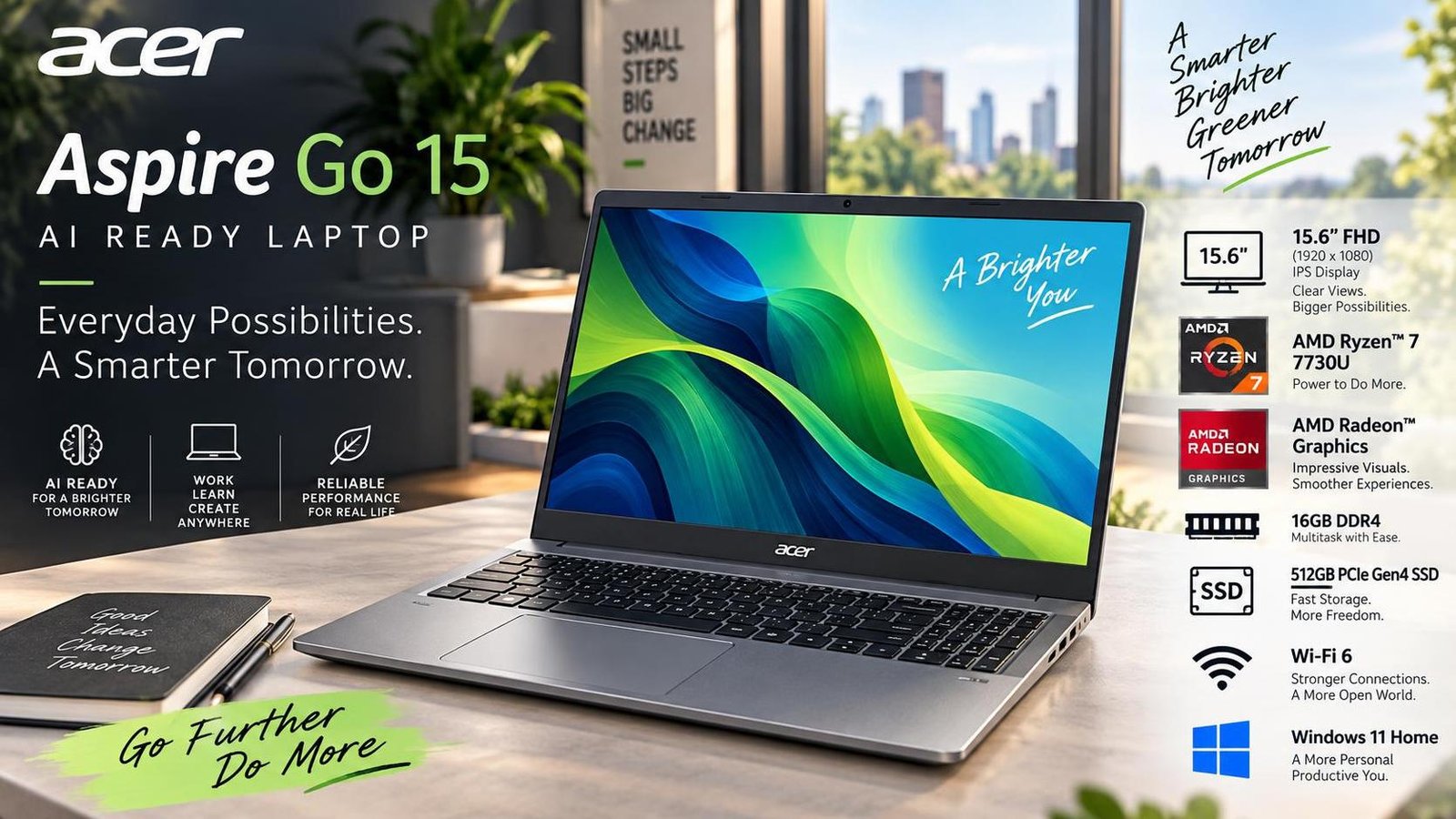
Best 15-Inch Laptops in Bangladesh: Big Screen, Big Productivity
A 15-inch laptop is the classic choice for users who want a larger canvas without giving up portability entirely. The extra screen space makes multitasking, movie watching, and spreadsheet work noticeably more comfortable, while still fitting into a standard backpack. In Bangladesh, 15.6-inch models dominate the market because they offer the best compromise between price, performance, and usability. This guide walks through the leading 15-inch laptops available locally, covering gaming, student, and productivity use cases, so you can find the right fit for your needs and budget.
Why Choose a 15-Inch Laptop?
The 15.6-inch form factor is the most popular laptop size worldwide for good reason. It provides enough horizontal space for two windows side by side, which boosts productivity for office work and study. The larger chassis also allows manufacturers to include bigger batteries, better cooling, and full-size keyboards with number pads, which accountants and data-entry users appreciate. For entertainment, a 15-inch screen makes movies and games far more immersive than smaller panels. The trade-off is weight: most 15-inch laptops weigh 1.6 kg to 2.4 kg, so they are best suited to users who carry them occasionally rather than all day.
What to Look For in a 15-Inch Laptop
Display and Refresh Rate
Look for a Full HD (1920 x 1080) panel as a minimum, and prefer 144 Hz or higher if you plan to game. A 144 Hz refresh rate makes motion smoother and reduces eye strain during long sessions. IPS panels offer good colour accuracy and viewing angles, while OLED panels deliver superior contrast for media consumption. Anti-glare coatings are helpful in bright rooms.
Processor and Graphics
For office and study tasks, a modern Intel Core i3 or AMD Ryzen 5 is sufficient. For gaming and creative work, step up to a Core i5/i7 or Ryzen 5/7, ideally paired with a dedicated NVIDIA GeForce RTX graphics card. Dedicated graphics are essential for modern games and GPU-accelerated creative applications.
RAM and Storage
8 GB of RAM is the floor for a 15-inch laptop; 16 GB is recommended for gaming and multitasking. Storage should be at least 512 GB NVMe SSD, with 1 TB preferred for gamers who install large titles. Many 15-inch models allow easy RAM and storage upgrades, which extends their useful life.
Cooling and Battery
Larger laptops can run hotter under load, so check that the cooling system includes adequate fans and heat pipes. Battery capacity typically ranges from 47 Wh to 60 Wh in this class, delivering 4 to 8 hours of mixed use depending on the workload. Fast charging is a valuable bonus.
Top 10 Best 15-Inch Laptops in Bangladesh
1. MSI Bravo 15 (Ryzen 5 7535HS)
The MSI Bravo 15 is a budget-friendly gaming laptop with a 15.6-inch 144 Hz display and an AMD Ryzen 5 7535HS processor. A 4 GB NVIDIA GeForce RTX 2050 handles graphics duties, while 8 GB of DDR5 RAM and a 512 GB NVMe SSD round out the configuration. It is a solid entry point for gamers who want smooth gameplay without breaking the bank, though the 8 GB RAM may feel limiting for heavy multitasking.
2. Lenovo LOQ 15IAX9 (Core i5)
The Lenovo LOQ 15IAX9 steps up with a 15.6-inch 144 Hz display covering 100% sRGB, an Intel Core i5-12450HX, and a 6 GB NVIDIA GeForce RTX 4050. With 12 GB of DDR5 RAM and a 512 GB NVMe SSD, it delivers strong gaming and productivity performance. The cooling system keeps temperatures in check during extended sessions, and the anti-ghosting keyboard suits gamers.
3. Lenovo IdeaPad Slim 3 15IRU8 (Core i3)
For students and office users on a budget, the IdeaPad Slim 3 15IRU8 offers a 15.6-inch Full HD display, an Intel Core i3-1305U, 8 GB of LPDDR5 RAM, and a 256 GB PCIe SSD. At 1.62 kg, it is relatively light for its size, and the large viewing angle makes it pleasant for media. The modest storage may require an upgrade for users who install many applications.
4. Lenovo IdeaPad Slim 3 15IRH8 (Core i7)
This more powerful IdeaPad Slim 3 variant pairs a 15.6-inch Full HD display with an Intel Core i7-13620H, 16 GB of LPDDR5 RAM, and a 512 GB NVMe SSD. It handles demanding applications like Adobe Photoshop and Visual Studio with ease, making it a strong choice for productive students and professionals. Rapid Charge Boost provides quick top-ups when time is short.
5. Other Popular 15-Inch Models
Beyond these picks, the 15-inch segment includes many other worthy contenders, from ASUS Vivobook and Dell Inspiron models to HP Pavilion and Acer Aspire lines. When choosing among them, compare build quality, keyboard comfort, port selection, and local warranty support. Gaming-focused 15-inch machines from ASUS TUF and Acer Nitro offer dedicated graphics at competitive prices, while business-oriented models prioritise reliability and security.
Comparison at a Glance
| Model | Display | CPU | RAM / Storage | Weight | Battery |
|---|---|---|---|---|---|
| MSI Bravo 15 | 15.6" FHD 144Hz | AMD Ryzen 5 7535HS | 8 GB / 512 GB | 2.25 kg | 53.5 Wh |
| Lenovo LOQ 15IAX9 | 15.6" FHD 144Hz | Intel Core i5-12450HX | 12 GB / 512 GB | 2.38 kg | 60 Wh |
| IdeaPad Slim 3 15IRU8 | 15.6" FHD | Intel Core i3-1305U | 8 GB / 256 GB | 1.62 kg | 47 Wh |
| IdeaPad Slim 3 15IRH8 | 15.6" FHD | Intel Core i7-13620H | 16 GB / 512 GB | ~1.6 kg | Fast charge |
Frequently Asked Questions
Is a 15-inch laptop too heavy for daily commuting?
It depends on the model. Slim 15-inch laptops can weigh around 1.6 kg, which is manageable, while gaming models often exceed 2.2 kg. If you commute daily, consider a lighter 14-inch alternative or a slim 15-inch model.
Can I upgrade RAM and storage on a 15-inch laptop?
Many 15-inch laptops allow RAM and storage upgrades, especially budget and gaming models. Always check the specific model's upgrade options before buying, as some ultrabooks solder components.
What refresh rate should I choose for gaming?
For gaming, 144 Hz is the practical minimum for smooth motion. 120 Hz is acceptable for casual play, while competitive gamers may prefer 165 Hz or higher.
How long does a 15-inch laptop battery last?
Typically 4 to 8 hours of mixed use, depending on the battery capacity and workload. Gaming drains the battery much faster, so keep the charger handy for long sessions.
Are 15-inch laptops good for students?
Yes, especially slim models with good battery life. The larger screen helps with reading and multitasking, though the extra weight is a consideration for students who carry their laptop all day.
Final Verdict
The 15-inch category offers something for everyone. Budget-conscious students should look at the IdeaPad Slim 3 15IRU8, while power users will appreciate the 15IRH8 with its Core i7. Gamers get strong value from the MSI Bravo 15 and Lenovo LOQ 15IAX9. Whichever you pick, prioritise a 144 Hz display if gaming matters, 16 GB of RAM for longevity, and a chassis you are comfortable carrying.

Jabir Al Shaker
Founder and editor of StartsNest. Technology writer and digital marketing specialist with expertise in mobile technology, consumer electronics, and online business strategies.
View all articles by Jabir Al Shaker →More to read
Xiaomi 13 Lite Review: Exceptional Design Meets Unbeatable Camera
The Xiaomi 13 Lite combines a slim 171g design, a 120Hz AMOLED display, a flagship-grade 50MP camera, dual selfie cameras, and 67W fast charging into an appealing mid-range package.
Xiaomi 13 Ultra Review: What is so Ultra?
The Xiaomi 13 Ultra packs a 50MP 1-inch Leica camera, Snapdragon 8 Gen 2, a 6.73-inch LTPO OLED display, and a 5000mAh battery with 90W charging into a premium IP68 body. Here is whether it lives up to the hype.
Xiaomi 13T Review: New MidRange King?
The Xiaomi 13T brings a vegan leather design, 144Hz display, Dimensity 8200-Ultra performance, and Leica-tuned cameras to the mid-range. Here is whether it earns the mid-range crown.
Comments (0)
No comments yet. Be the first to share your thoughts!